 OptimTask
Work has value. Make it visible.
Know what each client really costs you and optimise your team's time. OptimTask combines what you agree in contracts, the hours, the expenses and what you invoice, and shows you which clients, services and people give you margin… and which ones take it away.
No card needed to start. Prices exclude VAT.
You invoice, you work… but do you earn?
Most organisations know how much they invoice, but not how much it costs to serve each client. That is where margin leaks away.
| Client | Invoiced | Real cost | Margin |
|---|---|---|---|
| Client A | €3,000 | €2,100 | +€900 |
| Client B | €1,800 | €2,050 | −€250 |
| Client C | €950 | €420 | +€530 |
| Client D | €2,400 | €2,980 | −€580 |
| Total | €8,150 | €7,550 | +€600 |
Illustrative example of one month in an eight-person organisation: the total looks healthy, but two of the four clients cost you money.
The «small» client that eats your hours
They pay €100 a month and use the work of a €300 client. If you don't measure it, you can't see it.
Work that is not in the contract
Meetings, extra hires and terminations, queries… it gets done, it doesn't get charged and nobody records it.
Rates that went out of date
You haven't raised the fee in years while your cost per hour has gone up. With data, the pricing conversation is different.
Four steps and you see your first profitability
A guide inside the application walks you through it. You don't need everything perfect to start.
Your team and its cost
Annual cost and annual hours of each person: OptimTask works out what each hour worked costs.
What you do
Your catalogue of activities with their standard time and price, and the services that group them.
For whom and at what price
Your clients and their contracts: which services they receive, how much they pay and how often.
Record and look
Your team logs time (or loads recurring tasks in bulk) and the reports do the rest.
Everything you need to decide with data
Self-explanatory reports over a rolling 12-month window, so the figure doesn't depend on the month you look at it.
A 40-second tour of the application, with the demo company.
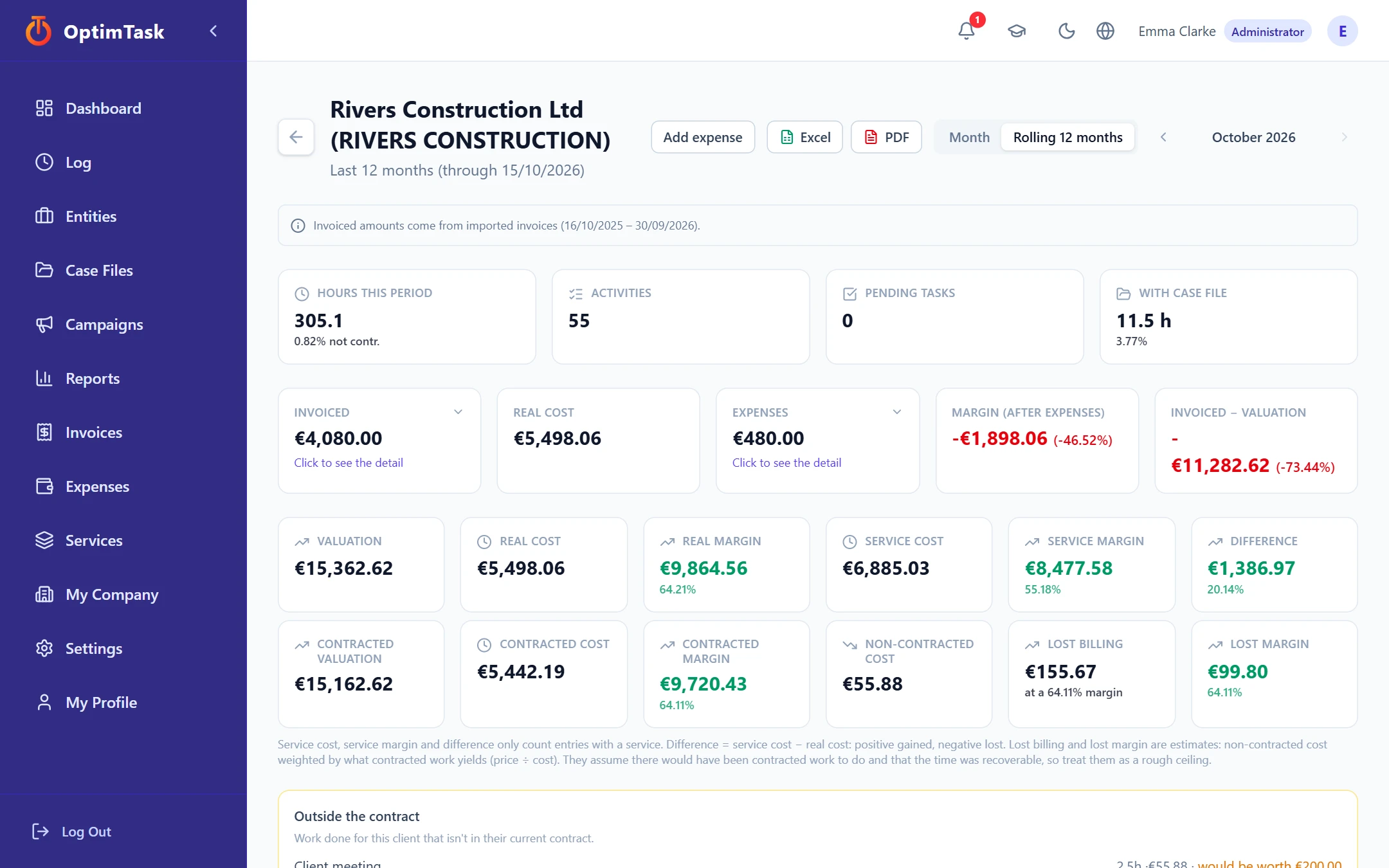
Profitability by client, service, case file and person
Agreed price (or what was actually invoiced), real cost of time and expenses. See at a glance where you win and where you lose, and click through to see why.
- Real margin after expenses, and the gap versus what the work would be worth at your rate.
- Warnings when units or time exceed what was contracted.
- Export to Excel and PDF.
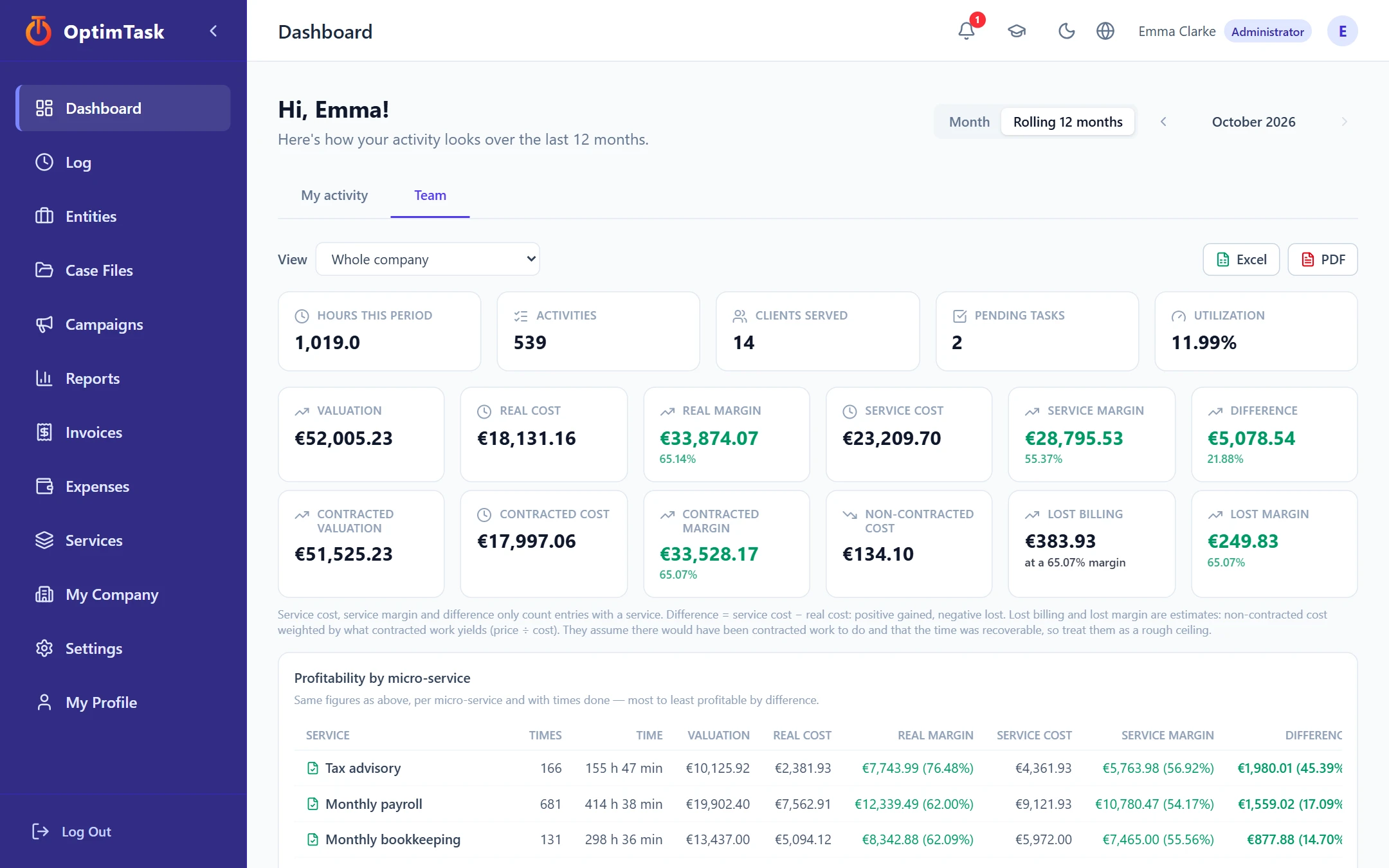
A dashboard of your activity and your team
Hours, utilisation, valuation, cost and margin for the company, each department or each person. Profitability by micro-service, from most to least.
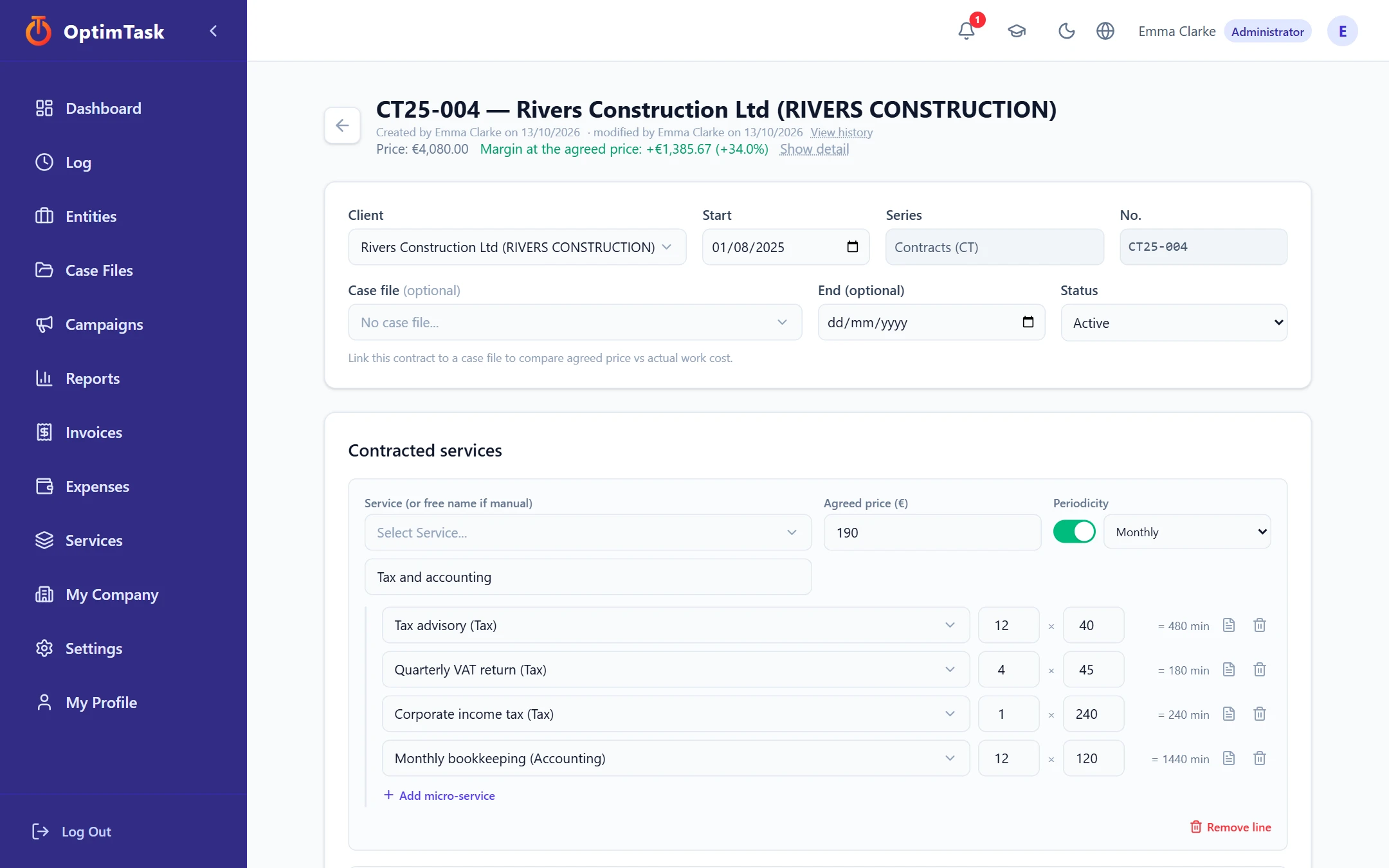
Contracts with a recommended fee
Each line with its price, frequency and contracted micro-services. OptimTask tells you which fee would cover your rate or the margin you want, and schedules price increases with a date.
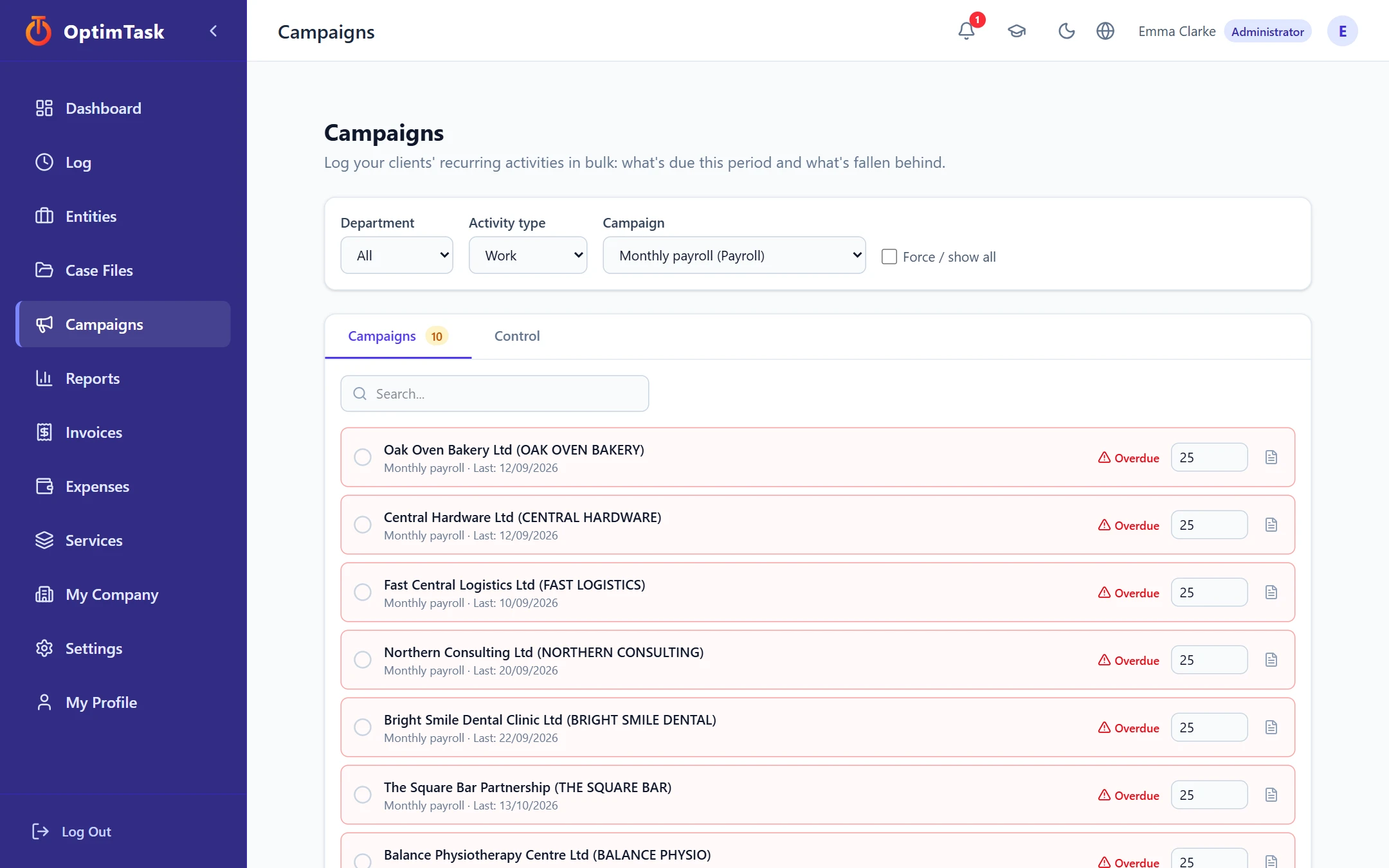
Campaigns: recurring work, in bulk
Payroll, VAT, bookkeeping… See what is due this period and what fell behind, and log dozens of clients with one click, using their standard time.
Time log
In minutes or by units, with a calendar per person and for the team.
Case files
A specific matter for a client, with its numbering, hours, expenses and margin.
Expenses
Travel, hotels… charged to the client and the case file: they lower its margin.
Workday alerts
Days with far more hours than possible, or almost none: you review or justify.
Imported invoices
Bring invoices from your accounting software via Excel and assign them to contracts. OptimTask does not issue invoices.
Import and export
Bulk upload of clients and contracts from Excel, and a full export of your data whenever you want.
Permissions and security
Custom roles, two-factor authentication, data separated per company and an audit log.
Connectors Coming soon
API, WhatsApp and artificial intelligence to record and query without opening the application.
For anyone who knows their team's time is worth something
If your team spends hours on clients, projects or cases and you want to know what that time is worth, OptimTask is for you. Each organisation defines its own services, client types and rates: no sector templates to box you in.
One plan, one clear price
A fixed fee per company and another for each person who uses OptimTask. You pay for active users: if you deactivate someone, they stop counting.
- All features, no paid modules
- 30-day free trial
- Your data, always exportable
- Improvements and new connectors included as they arrive
Prices exclude VAT.
Excl. VAT. With 5 people: €80 per month.
Frequently asked questions
Does OptimTask issue invoices?
No. OptimTask measures profitability. If you want to use what was actually invoiced, you import the invoices from your accounting software via Excel; otherwise it works with what is agreed in the contracts.
What is an «active user»?
A person in your company with access. If you deactivate someone, they stop counting towards the fee. Platform administrators do not count.
What happens when the trial ends?
Your company becomes read-only for 15 days: you can view and export everything, but not record. After that, access is suspended. Your data is never deleted, and you can take it with you at any time.
Do I need my accounting connected?
No. With your contracts and the hours you already see an estimated profitability. Importing invoices refines it with what you really collected.
Does it work for my sector?
If your team's time is what you sell, or what you invest in every client or project, yes. You define your services, their standard times and your rates, with no sector templates.
How long does it take to get started?
You can see your first profitability the same day with one client, one contract and a few hours. Importing your clients from Excel speeds up the rest, and the application itself includes an academy with guides and a glossary.
Is my data safe?
Each company's data is kept separate from the others, there are roles and permissions per person, optional two-factor authentication and an audit log of changes. More detail in the privacy policy.
Find out which clients give you margin and optimise your time
30 days of free trial. Tell us how you work and we will help you get started.
Request my free trial